




Week 1 - Contents
1 — What is an "Audio Engineer"?
What is an “Audio Engineer?”
This is a broad term and can cover a bunch of different kinds of engineer within the audio space. Some (and not necessarily all) are:
- Recording Engineer – This is the person in the studio setting up microphones for drums, instruments, vocalists, etc. and making sure that all the gear is connected, on, working, and sets the levels on their mixing desks / computers.
- Mix Engineer – The mix engineer takes the recorded audio and mixes it, making the end product sound like a smooth, cohesive project. (This is primarily what Tony demonstrates during class practical sessions.)
- Mastering Engineer – The mastering stage is the final step in the audio production process before the finished files are sent out to the client or studio heads or whomever gets the finalised tracks ready for broadcast / inclusion in the game files, sent to Spotify or iTunes, etc. – the Mastering Engineer essentially takes the final Mixed Audio and adjusts the loudness and may make some minor adjustments or touch-ups to ensure it truly is ready for use / distribution / broadcast.
- Live Sound Engineer
- Front of House Engineer – Takes care of the audio setup on stage; while the –
- Monitor Engineer – Listens for feedback or any other issues in the venue / on stage and adjusts their live mixing deck accordingly, often making necessary adjustments throughout the duration of the performance.
Often you can be all of these things if you’re working for yourself or a smaller studio, however in larger studios it is more common that each role is kept separate.
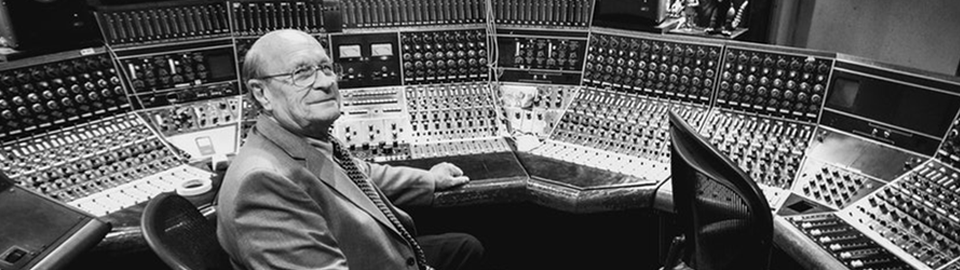
The late Rupert Neve – the “Steve Jobs of Audio” – who revolutionized audio recording forever.
Often your skill set will provide an opportunity to do a “bit of everything” over the course of your career, with Tony confirming that he’s done a bit of all of the above. His live engineering, for example, came at a time when he was working at a college that put on plays and such, and he oversaw all the audio tech setup and live monitoring.
That all being said, this course is specifically designed to focus on the mixing side of things, especially as it pertains to voice over artistry / voice acting. It is the aim of this course to provide you with:
- A basic introduction and understanding of the fundamentals of what goes into a mix;
- the technical ability to make your audio sound good; and
- a level of understanding so you know what to watch for while mixing.
In this way when you come to start working with Compression and Equalization, you’ll be confident in how to use them.
2 — What is Sound?
The scientific explanation would be something like:
Changes in atmospheric pressure which causes air molecules to move.
Our ears register this molecular movement or vibration as “sound”.
Sound waves decrease over distance due to a loss of energy.
Different factors determine the size and shape of the “sound wave”. For example: when an object is dropped into a body of water, the water is displaced in waves that radiate from the source of impact. This displacement sends the waves outwards moving in an up and down pattern.
Louder sounds can travel farther than quiet sounds, for example, as the factors involved in creating the sounds can have an impact on the size of the sound waves and thus how far those sounds can travel.
2.a — Anatomy of a Wave
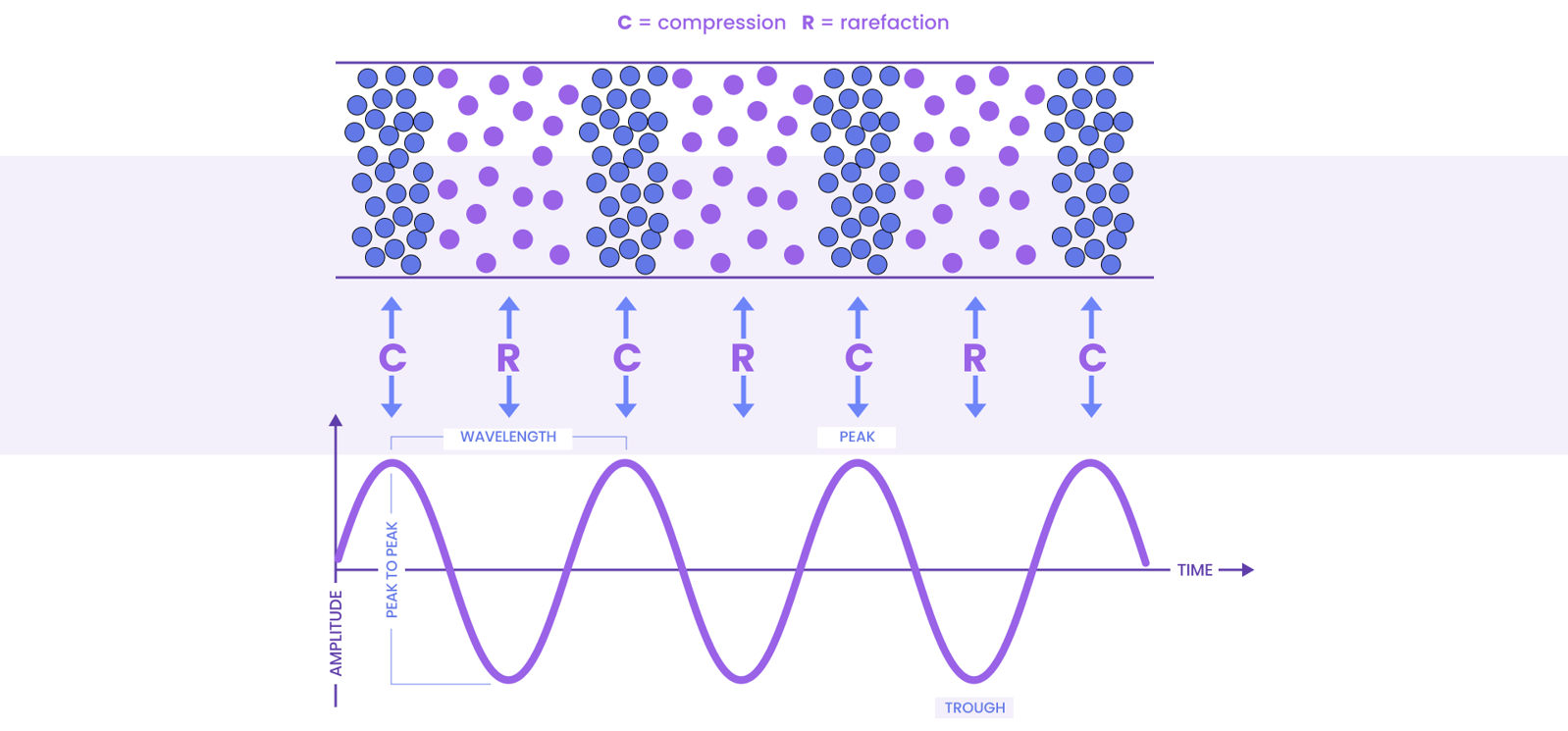
The picture above shows us both a Longitudinal Wave and a Transverse or Sine Wave (pronounced “sign”).
This is essentially the ‘anatomy’ of the sine wave, as far as our ears perceive it. These waves are made up of four fundamental factors:
- The Peak – This marks the highest point in the wave;
- The Trough – This is the opposite of the peak, marking the lowest point in the wave;
- Compression – This is what happens to the sound as is travels upwards towards the peak, and is where we can perceive a climbing in “pitch” towards the peak; and
- Rarefaction – This is what happens as the sound falls down into the trough, and we hear the opposite effect shown during compression, which is where the pitch “drops” as the sound particles or wave becomes less compressed.
The Longitudinal Wave shows the spread of sound particles as they emanate from a speaker to our ears, and gives a visual representation of the molecules within the sound wave as they undergo compression and rarefaction on their way to our ears.
Once this wave hits our ears, it is perceived in the order of how the molecules arrive, thus we hear the particles (or wave) at both its most compressed and dispersed states.
The Transverse or Sine Wave gives us an alternate or “side view” of this same phenomenon from a mechanical point-of-view, and this is how sounds are displayed in our computer programs, but we’ll get to that later shortly.
The term Hertz (Hz) is the unit of frequency that is most often used to measure sine waves and musical tones, and is defined as “one cycle per second.” You will have likely heard of “kilohertz” or “megahertz” at some stage, and this is (most likely) what was being referenced.
A “cycle” consists of a single Peak and single Trough, making up 1 Hert.
Therefore 1,000 cycles = 1 kHz (1 kilohertz). We’ll touch on Hertz and frequency again shortly to provide some practical context for the terms.
This video I called “Froggy Frequencies” is a wonderful visual example of how sound waves can be compared to ripples on the surface of water – just look at how the waves ripple outward from the frog, especially once the pitch changes!
2.b — Phase
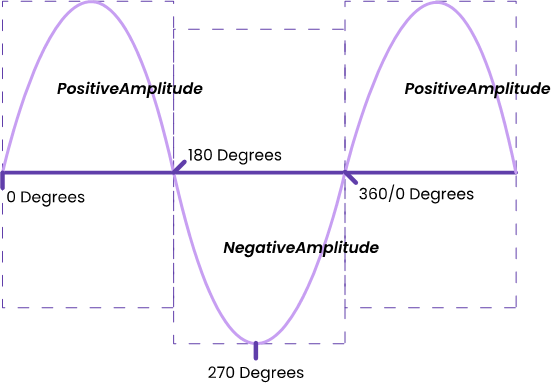
The Phase of a sound wave is basically “how far along a waveform is in its current cycle”.
The scope of this course doesn’t require an in-depth study of the various aspects of audio phase, but you can find some excellent further reading here.
However, to provide a visual aid to support the above definition, please refer to the below graph (found at the same link):
Amplitude – this will be defined in-depth shortly.
When sound waves are combined, we get more complex waves → Phase Amplification.
When two waves of equal amplitude and frequency are combined, we get a wave that is DOUBLE in amplitude.
However, if we combine sound waves of equal amplitude and frequency but have opposite states of pressure (compression vs rarefaction) the waves can cancel each other out → Phase Cancellation.
This may mean you might get a ‘weak’ or ‘thin’ sound, or no sound at all.
This is likely more often seen when recording instruments / music, especially when using more than a single microphone (for example, when recording a guitar or drums).
When it comes to voiceover, however, it’s not likely to be something that you’d need to be too vigilant for, but that’s not to say that it cannot happen!
3 — Frequency
3.a — The Audible Frequency Spectrum
Here are some contextual sentences that will hopefully help you conceptualise what we’ll be talking about when it comes to frequency – which is applicable to virtually everything we do!
- The number of complete wave cycles that occur in one second.
- This is measured in Hertz (Hz) — a single wave cycle (1 Hert) is one compression and one rarefaction.
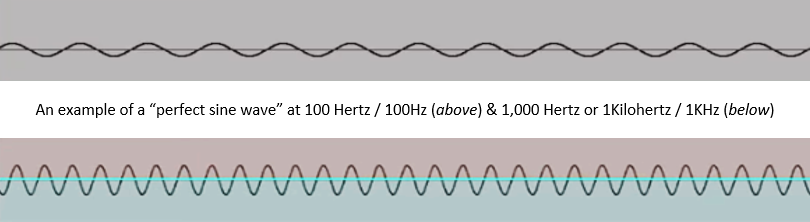
- 100 Cycles per second would mean the sound has a frequency of 100 Hz.
- A sound that has 1,000 cycles per second has a frequency of 1 kHz (K meaning “kilo” or 1,000)
- Humans (on average) can hear between 20 Hz and 20 kHz – remember, this is a general statement! (It also depends heavily on the age of the human and a bunch of other factors…)
- The ‘average male’ can typically hear from 40 Hz – 18 kHz;
- Whereas ‘women‘ tend to have a slightly better hearing response on average for higher frequencies.
- This is a generally held standard based on scientific (biological) observations, and the language has not been updated / adjusted for a more modern, inclusive and diverse global society. We can therefore infer this would more accurately refer to “amab/masc” and “afab/fem” folk on a purely physical basis.
Higher frequencies are perceived louder than lower frequencies even when they are played at the same amplitude.
We will cover amplitude shortly (further down the page).
It is also important to note that the general range of hearing in humans typically degrades over time.
Younger folk can often hear much higher frequencies, but over time our hearing starts to lose some of its highest range.
Some folk also lose some of their hearing range and sensitivity thanks to going to concerts or from other kinds of industrial noise, sometimes even developing a high-pitched “ringing” in their ears, a condition which is called tinnitus.
Several students have made note over the past few years we’ve been teaching this course that this is one of the best explanations of the “concept of frequency” they’ve ever heard – including me!
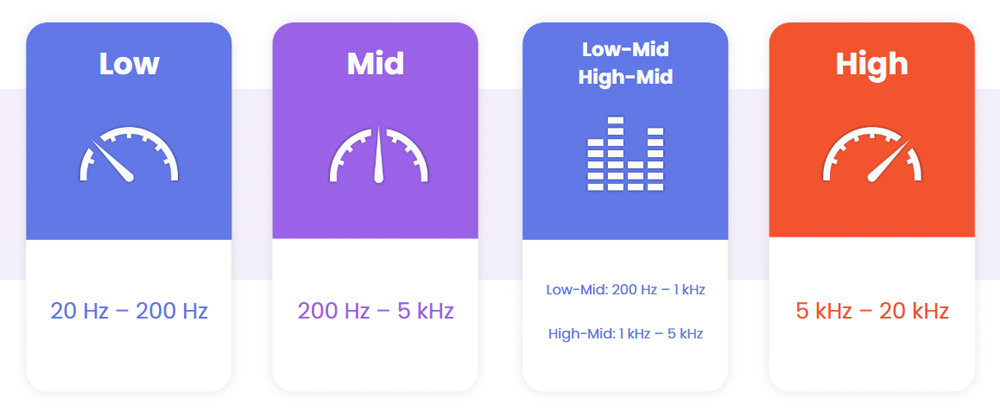
As we mentioned just above, humans generally have a range of hearing from 20 Hz (low) through to 20,000 Hz (or 20 kHz, high).
Something that we don’t really touch on in class are the terms given to sound above and below our range of hearing, as shown above.
- Infrasound — This covers sounds that have a frequency below 20 Hz.
- Some animals communicate with each other using infrasound, such as rhinos, hippos, elephants, whales, octopuses, squid…even pigeons use infrasound!
- Ultrasound — This covers sounds that have a frequency above 20 kHz.
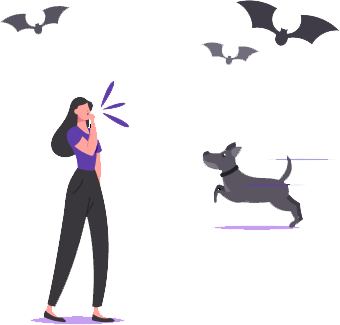
- Animals that communicate using ultrasound include praying mantises, dolphins, dogs, frogs and toads.
- Probably the most well known example of an animal utilising ultrasound, however, would be bats — however instead of using it as a form of communication, they use echolocation that makes use of ultrasound and reverberation.
3.b — Frequency Ranges
Our ears shape the way we perceive volume. Higher frequencies are perceived louder than lower frequencies, even when played at the same amplitude.
But lets break things down into some specific ranges to discuss this phenomenon further:
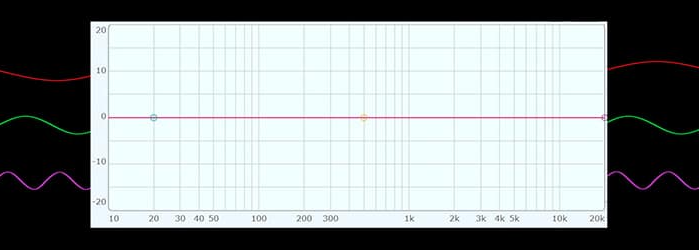
Using Infinity EQ from Slate Digital, Neth created an “expanded” look at generally accepted frequency ranges, beyond the basic ranges discussed to the left. It should be noted that, for voiceovers (in the beginning, at least) understanding the low / mid / high breakdown is all you need.
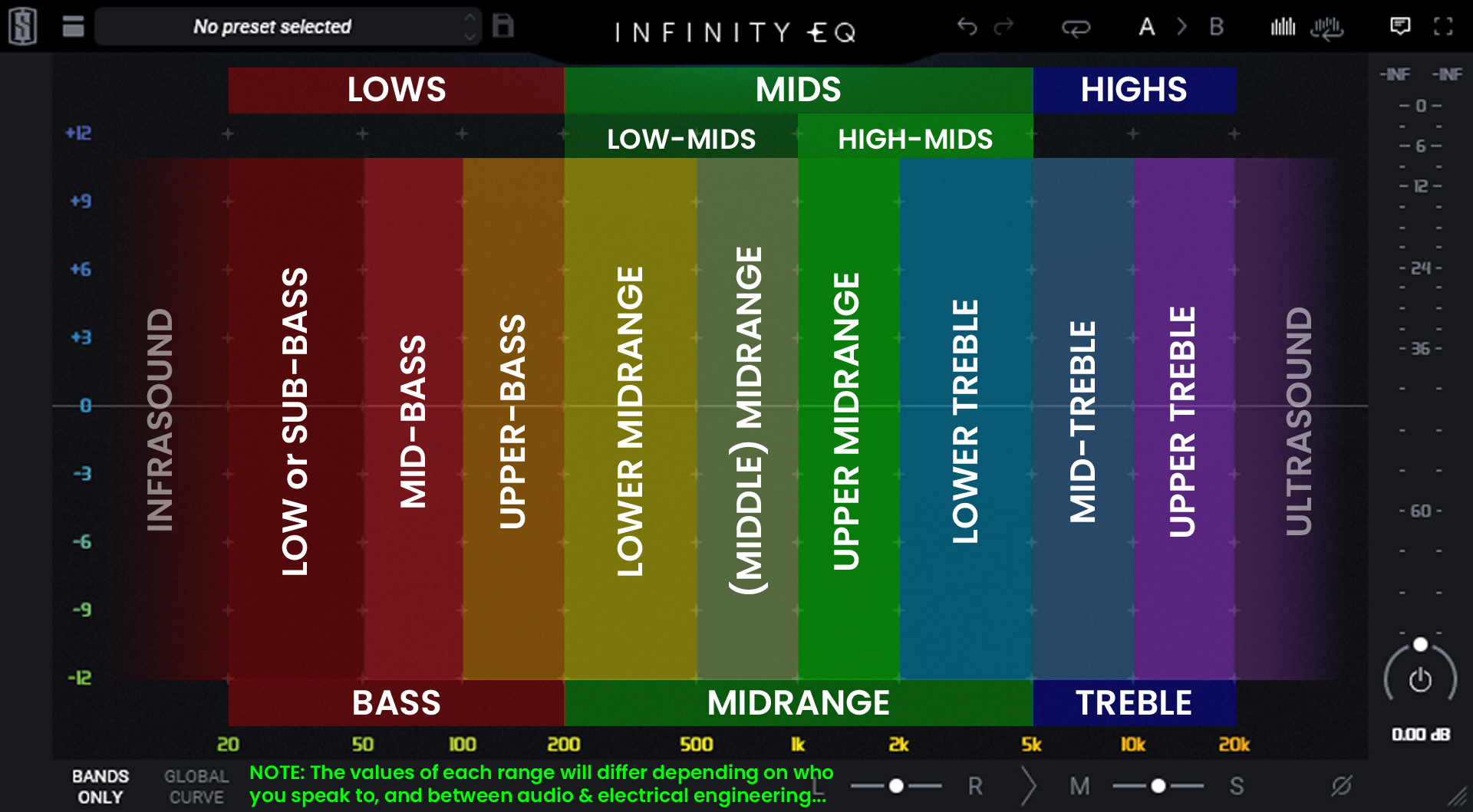
(click the image to see a larger size)

3.c — Big & Small
Low frequencies are big, powerful sound waves that take a lot of force to produce, which also means they are much harder to control. These are also more often felt rather than heard, the lower you go in frequency range. A good example of this is when a car drives past our houses cranking the bass in their music and our whole damn planet shakes!
High frequency waves are thinner and smaller, and travel much faster and further than lower frequencies, and are easier to control.
3.d — Fundamental Frequency
The Fundamental Frequency is the lowest frequency of a periodic waveform. This is the lowest, loudest part of a sound’s frequency range.
In voiceover, if you cut or boost this particular frequency too much, you end up changing (or losing) what makes you you! - this is what defines your unique voice, similar to how your fingerprints are unique to you.
We will be discussing the fundamental frequency in detail when we get to our classes on EQ.
4 — Amplitude
The amount of energy that is present in a sound wave is called amplitude. The higher the sound wave, the louder it is perceived; on the inverse, the lower the sound wave, the quieter it is perceived. (See the image above in 2.b – Phase)
Amplitude is measured in decibels (dB) – see below.
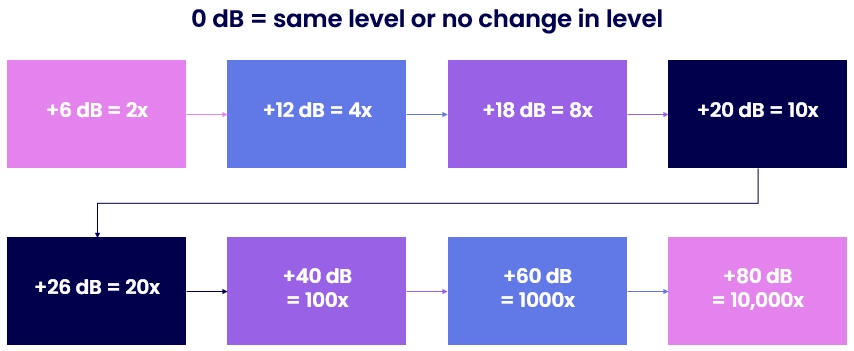
Calculating amplitude in dB can be confusing at first – especially when looking at the example image below.
To get twice (2x) the loudness (or amplitude), you’d think you’d just double the decibels, wouldn’t you? Unfortunately this isn’t how it’s done. To get twice the loudness, you would need to add / increase by 6dB!
To explain this, we need to look at…
5 — Decibels (dB)
The decibel (dB) is a logarithmic unit used to measure sound levels in audio. It is also widely used in electronics, signals, and communications.
The decibel is a logarithmic way of describing a ratio. The ratio may be power, sound pressure, voltage or intensity, or several other things. This is how / why it can be so complicated to explain.
The level meters on our recording software or “DAW” also display loudness in decibels.
We’re trying to keep mathematics out of this course, so just keep in mind that a “logarithmic increase is not simply multiplying the dB by how much you want to increase the volume”.
6 — Sound Pressure Level (SPL)
This stands for Sound Pressure Level and this too is measured in dB. All microphones have an SPL threshold which is the loudest acoustic signal that it can take before it starts to distort the signal.
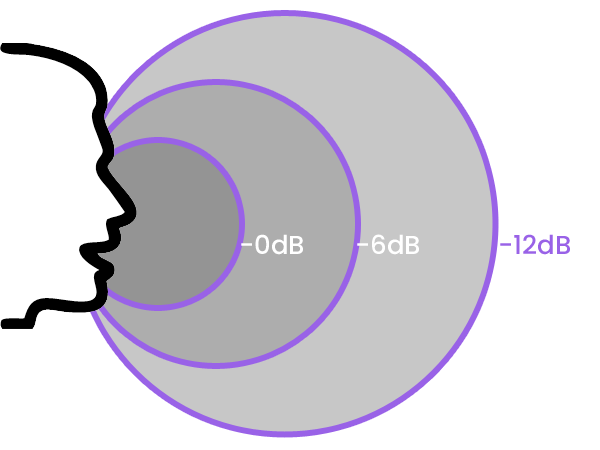
How far you are from the microphone will affect the SPL. This is why you need to back off from the mic when doing screams or battle cries, not just to avoid clipping but to also avoid overloading or potentially damaging / breaking the mic’s sensitive diaphragm.
If you would like to read more about SPL and Microphones, I highly recommend checking out this article by Greg Simmons from AudioTechnology.com (2021)., (and this one by him in 2022 to get extra nerdy!)
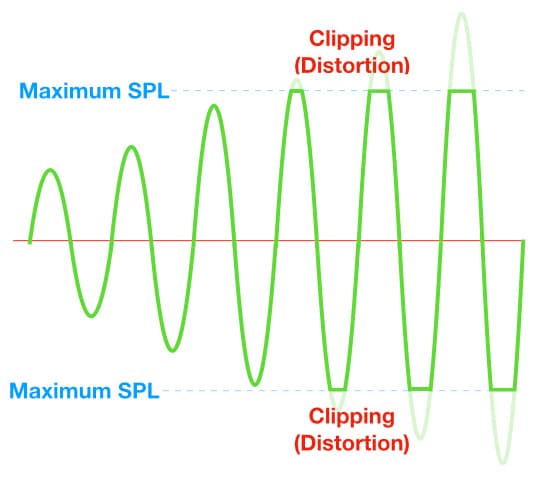
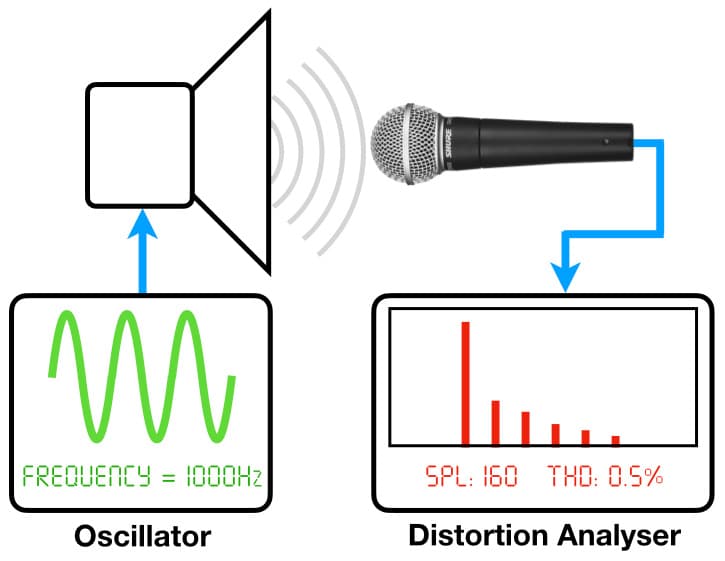
To be cheeky and pull a direct quote & image to demonstrate the extra depth of understanding you could achieve, this is but a taste:
Maximum SPL
This specification ultimately represents the microphone’s ‘clipping point’, where the peak level of the signal exceeds the maximum level that the microphone can reproduce, causing the peaks of the signal to be clipped.
The measurement concept is simple: play a sound into the microphone, increase the sound’s SPL until the microphone’s output signal shows a certain percentage of clipping, and measure the SPL that was required to reach that percentage of clipping. By choosing a percentage of distortion that is somehow meaningful – such as on the verge of being audibly noticeable – we can specify the ‘Maximum SPL’ required to reach that percentage of distortion.
7 — Acoustics
…is the science of studying sound, but in the recording universe it is used to describe the sonic characteristics of a room and how it affects the sound.
So if we take an acoustic guitar for example, its shape and body allows the sound to resonate and project from the sound hole, naturally amplifying the sound produced.
Similarly amphitheatres and cathedrals are specifically designed to amplify the voice, whereas office spaces are often designed to actually cut down on overall volume.
THIS IS THE NO. 1 MOST IMPORTANT THING IN VOICEOVER!
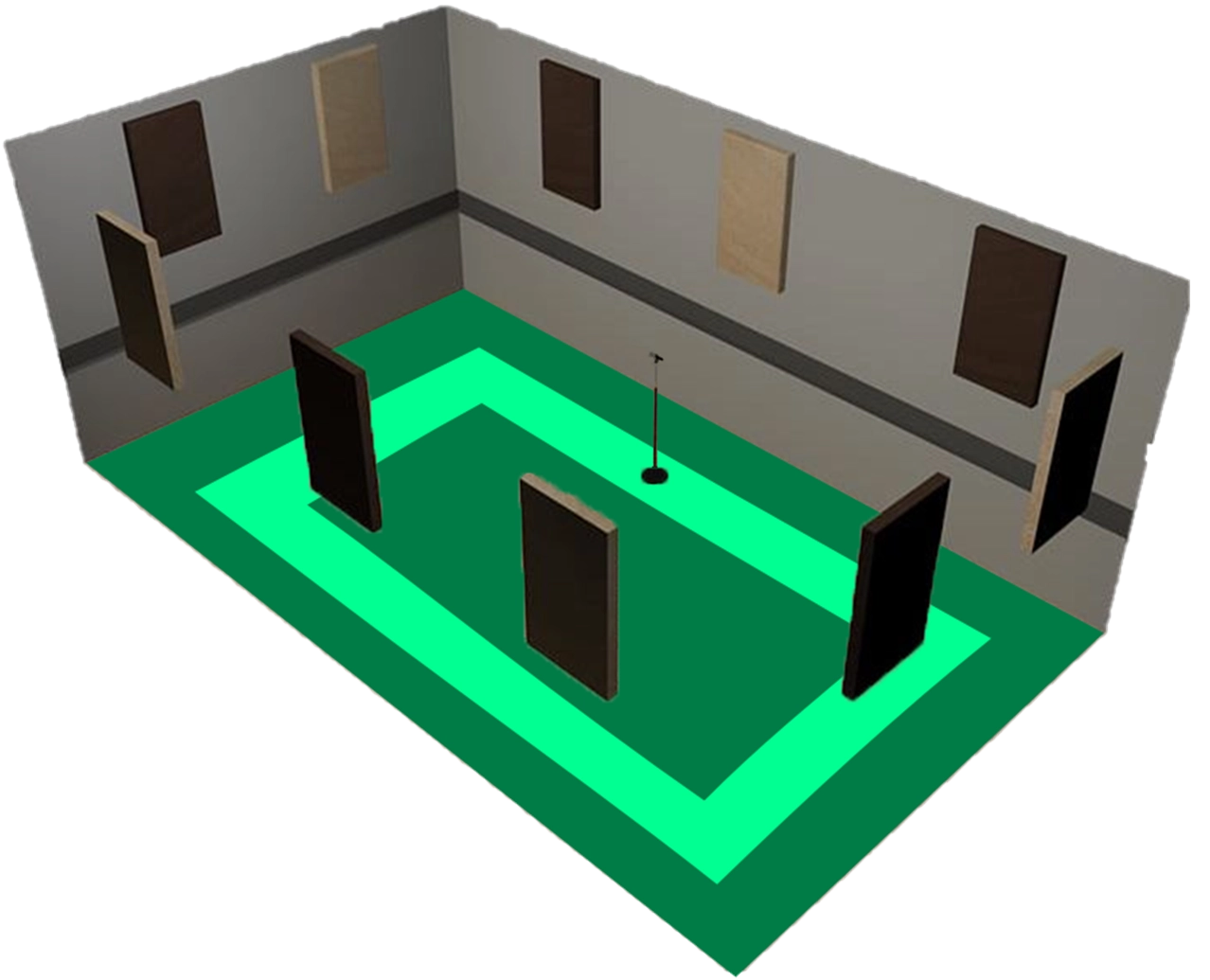
We want to create as “sonically dead” a space as we can get, because we can always add reverb in while mixing but are limited in how much reverb we can treat / remove.
As I will have mentioned in class, there is a term that is so often misused that it is a personal peeve of mine whenever I see content from people positioning themselves as some sort of source of authority or reliable information, and that is “Soundproofing“.
Without going into things in too much depth here, I’d prefer to have you download a copy of this PDF that I wrote specifically to explain the difference between Soundproofing and Acoustic Treatment, the latter being what most people should use when they are talking about foam panels or bass traps, etc.
7.a — Reverberation ("Reverb")
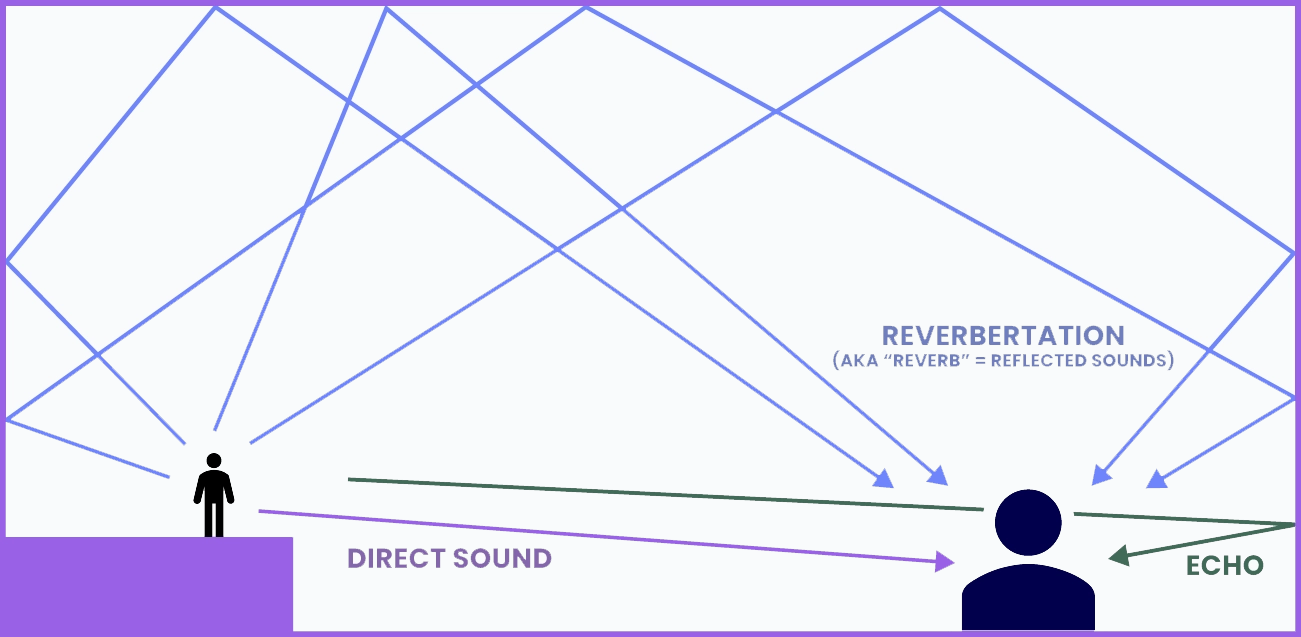
Often just shortened to Reverb, reverberation can be described as “sound in an enclosed space that produces a persistent sound after one sound has been produced.”
Sound is energy, and sound waves will continue to travel until they lose their energy. Sounds move outward from their source in all directions, so this is why reflective surfaces like walls, ceilings, and floors cause a room to sound ‘reverberant.’
Sound absorbent materials are used to ‘tame’ the reverberation of a room. Different materials have different absorption characteristics too; wood is more absorbent than concrete, for example, and then foam can be more absorbent than wood.
Throughout this class, we’ll learn to listen for reverb – how to identify it, how to potentially ‘diagnose’ where the reverb could be coming from, and also provide potential ways to dampen the reverb to make for a better overall sound coming into the mic and thus ultimately the mix.
7.b — Why Reverb?
We can use reverb to manipulate sound and recreate a sense of a space.
- Reverb captured within specific real spaces called an “Impulse Response“;
- Digital Spaces that are generated to sound realistic;
- Or even a mix of both to create outlandish and unreal spaces!
That reverberant wash of sound is very much made up of the many individual reflections created by the room’s architecture.
Those reflections arrive at our ears slightly later than the direct sound, but they merge together to produce a single continuous sound.
Essentially, when multiple sounds of similar level are happening within about 20 milliseconds of each other, we can’t pick any of them out as individual sounds, instead we hear the combined whole.
7.b.i — Digital Reverb Types
“Digital Algorithmic Reverb”
- Synthetic based to shape the tone of the reverb using numbers and algorithms to create a space.
- Can produce a very realistic reverb sound.
“Convolution Reverb”
- Samples of real spaces to simulate the acoustics.
- You can even record your own IR (Impulse Response) by recording a reverb in a space. Think of it as an acoustic photograph. You then import the sound into a convolution reverb program / plugin to use it on your tracks.
7.b.ii — Reverb Parameters
Delay
- How long it takes for the reverb to fall back below -60 dB, also known as RT60 (RT = Reverb Time)
- Different frequencies decay at different times.
Pre-Delay
- The gap in time between the direct sound and the beginning of the reverb tail.
- 0 Seconds would make the reverb tail start instantly.
“Mix” (Wet / Dry)
- How much reverb is being applied (wet) and how much of the original recording (dry) is used.
- When using a reverb as a send/return, wet is usually set to 100%
"Sends and Returns" are a bit of an advanced concept to try to explain during the later, more practical-heavy classes.
7.c — Delay
An audio signal processing technique and an effects unit which records an input signal to an audio storage medium, and then plays it back after a period of time.
A waveform can be shown as a simple plot of amplitude vs time. Delay grabs the time dimension and bends it to your will.
We’ve all heard echoes before; shout into a tunnel or any large reflective space and whatever you shout bounces back. That’s delay at work!
Simply put, the audio signal – your voice – is delayed by some amount of time before being heard again later; an echo of the original.
7.c.i — Delay
Delay Time
Can be set in milliseconds or tempo (if it’s a song)
Feedback
Sending the output of the delay right back into the input.
With this parameter, our delayed signal gets delayed again.
Through this feedback control, a single echo can be made to repeat, and can repeat as many times as you want.
8 — The Mircophone
There are two main types of microphones used in voiceover work:
- Dynamic
- Condenser
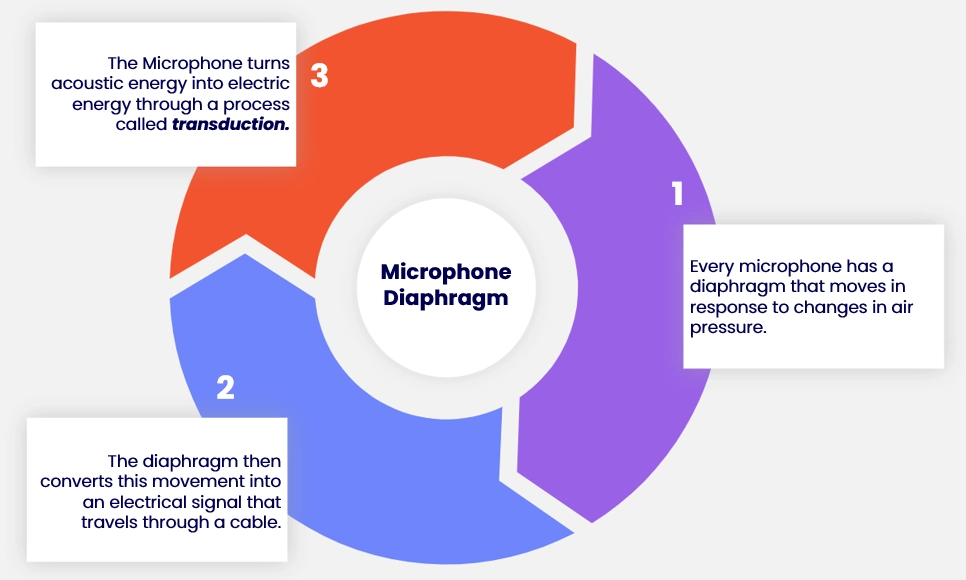
They both have a different kind of diaphragm which results in different sound characteristics.
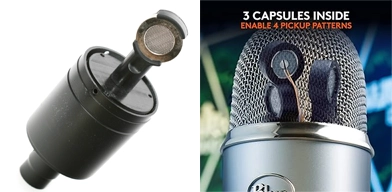
The left side of this image shows the capsule inside an AT2020, showing a single diaphragm for picking up and converting sounds to mono audio recordings.
The right side shows a Blue Yeti, which has three capsules and thus three diaphragms, giving it the ability to record a much broader range of audio recording types – it can even record in stereo, which is not something many entry-level mics can do!
(Click to view full size image)
8.a — Microphone Types
There are generally two main types of microphone used in voiceover:
Dynamic
Condenser
They both have a different kind of diaphragm which results in different sound characteristics.
If you want to get really technical, there are approximately ten types of common microphone!
You may also come across Ribbon Microphones in some studios, however those are typically only used in very specific situations as they have an extremely sensitive diaphragm, which can break easily.
On the note of the sensitivity of equipment, this is why it is often said to be “best practice” to never touch the microphone in a professional studio – that is what the audio engineer is there for!
8.a.i — Most Common in VO
Dynamic
The Dynamic Microphone is built like a tank and is generally used for loud recordings; things like drums, gunshots, and singers who like to scream!
Dynamic mics also don’t require any external power (more on this shortly). The reason we say it is ‘built like a tank’ is because the diaphragm in a dynamic mic is generally a lot more robust than their condenser counterparts. This also results in the diaphragm moving slower than that of a condenser mic, resulting in less accurate reproductions of higher frequencies.
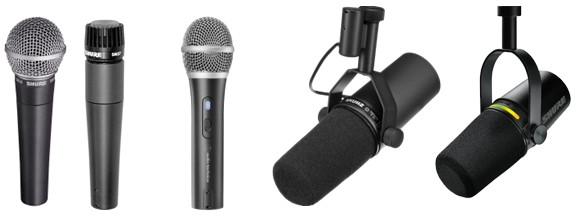
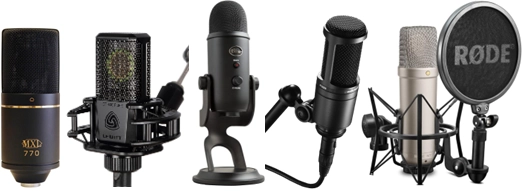
Some common dynamic mics makes and models that you might have heard of or used are:
Condenser
A Condenser Microphone is much more accurate in sound reproduction; however, the trade-off is that its diaphragm is much more fragile.
It is this type of microphone that is most widely used for recording sound effects and voice overs.
It should be noted, however, that these microphones generally cannot handle the stress of high volumes for extended periods of time.
These microphones do require external power, called “Phantom Power” – see the next topic header below.
Some common condenser mics that you may have heard of or used are:
- Blue Yeti;
- Audio-Technica AT2020 or AT2035;
- Røde NT1 or NT1-A;
- Lewitt LCT 440 Pure;
- MXL 770 or 990, etc.
And then there’s the likes of the Neumann U 87 Ai which can normally be found priced somewhere around the $3 – $5K USD mark, and is lauded to be up there as one of the “dream mics” for many VAs, but we’re not going to talk about that right now…
8.b — Phantom Power
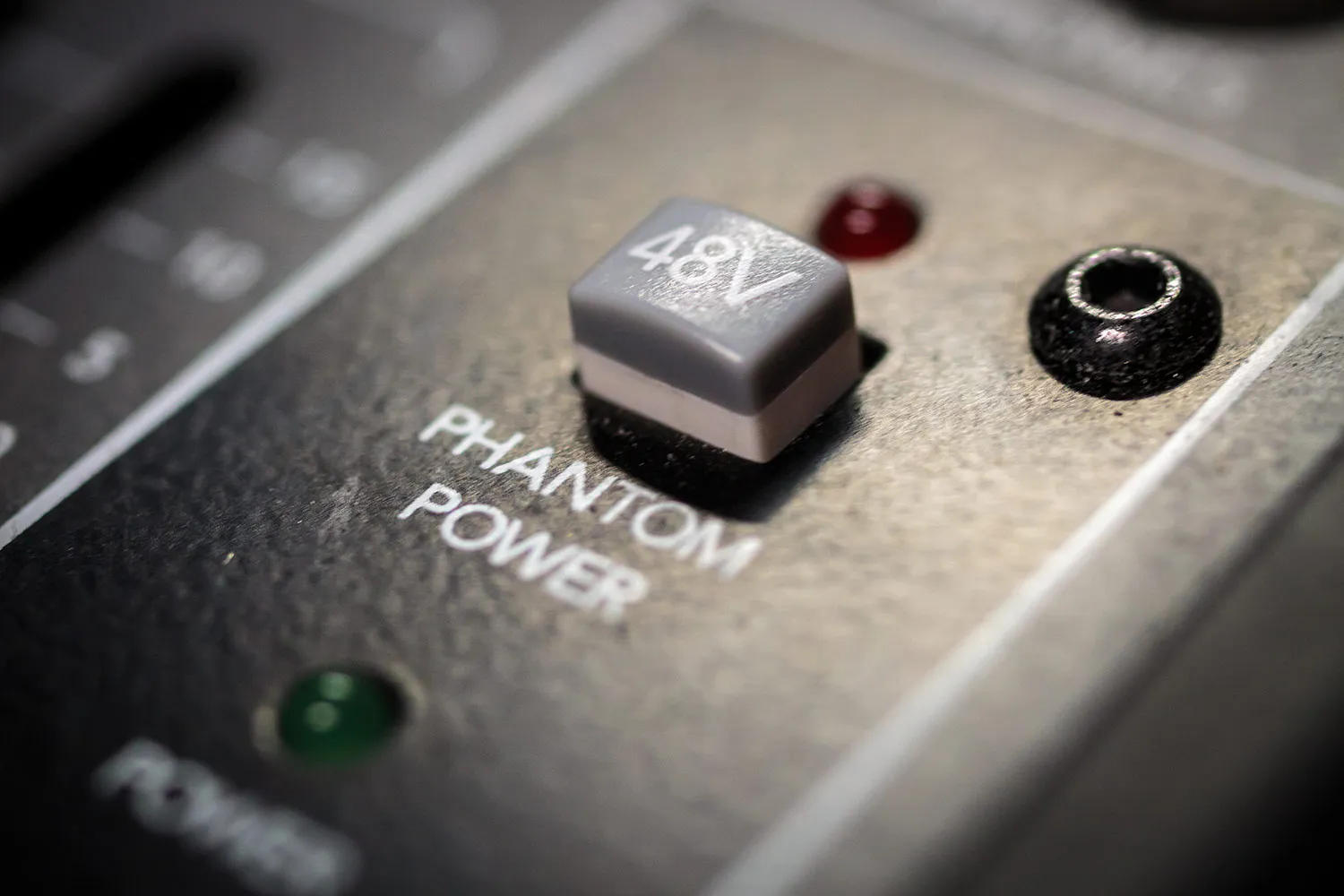
Most interfaces you guys will use, at least in the beginning, should have an obvious “+48V” button, even if it isn’t clearly labelled like the one in the image above.
This is the term given to the process of delivering DC (direct current) electricity to microphones that require power to drive their active circuitry.
The condenser diaphragm uses phantom power.
- For phantom power to work, a small amount of voltage needs to be supplied to the microphone, and this is most commonly supplied as 48V * (volts) via your interface or pre-amp.
- Without phantom power driving the circuitry of a condenser microphone’s diaphragm, the acoustic sound cannot be converted into an electric, or digital, signal.
* Most mics use 48V, however some only require 12V. Some mics even have a battery compartment to provide their phantom power!
8.b.i — Inline Microphone Preamps (aka "inline pres")
As we mentioned in class, Dynamic Microphones do not use phantom power to drive their internal electrical components, and instead typically rely mostly on pressure to vibrate the diaphram and make the converters do their job; this is often why dynamic mics can be a double-edged sword in voiceover work; they can be great for recording in rooms that may not be thoroughly / ideally treated acoustically, but this often means you need to be more consistently louder in order to have your performance picked up well enough for professional work.
You can see how this would be a problem if you needed to whisper or do a dynamic performance going from quieter speech to louder and back again; the mic isn’t sensitive enough to work well at both extremes, and you will get inconsistent “volume” in your recordings.
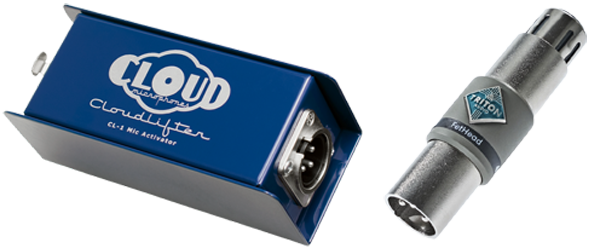
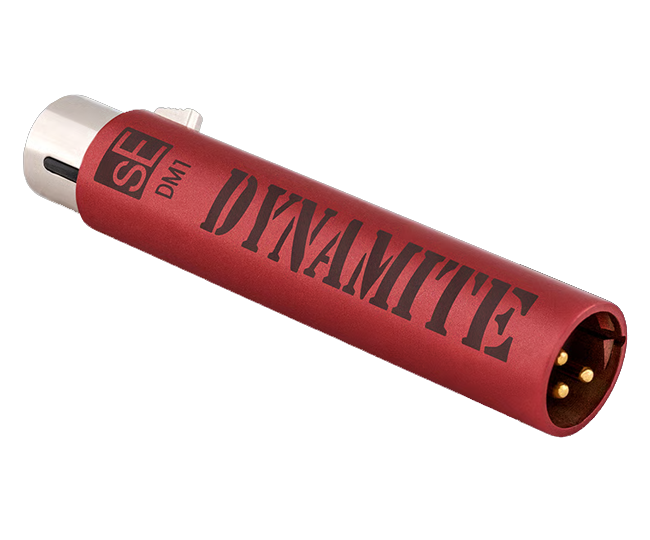
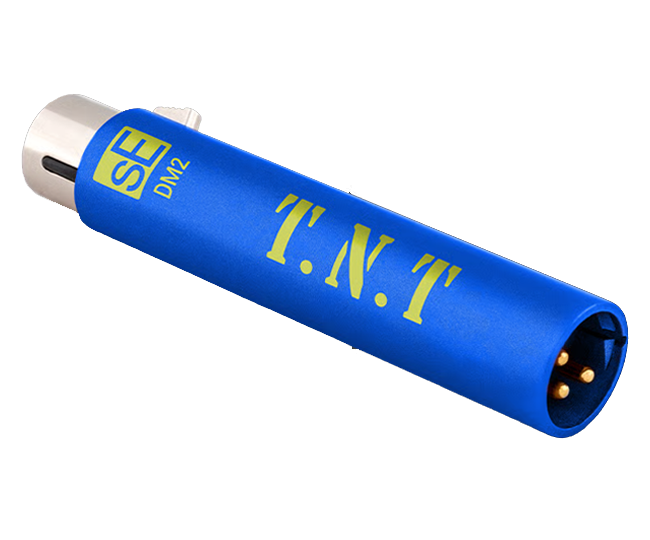
This is where products like the Cloud Microphones Cloudlifter CL-1 or Triton Audio FetHead (among others) come in, helping to provide that much needed boost in gain that would otherwise be provided as a standard for Condenser Microphones via phantom power.
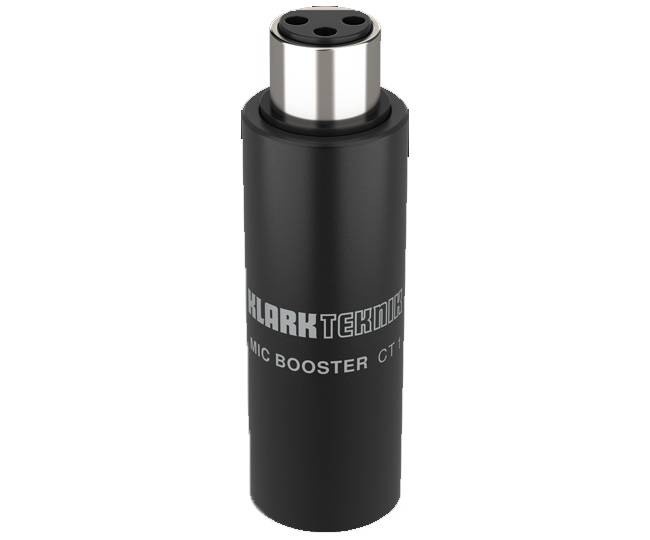
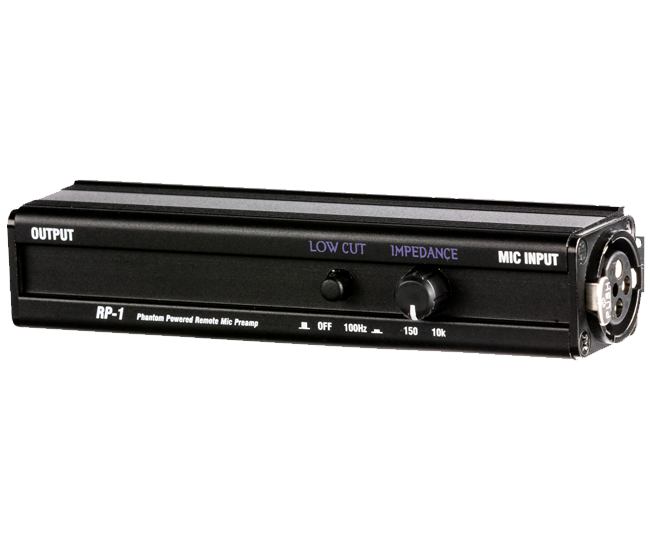
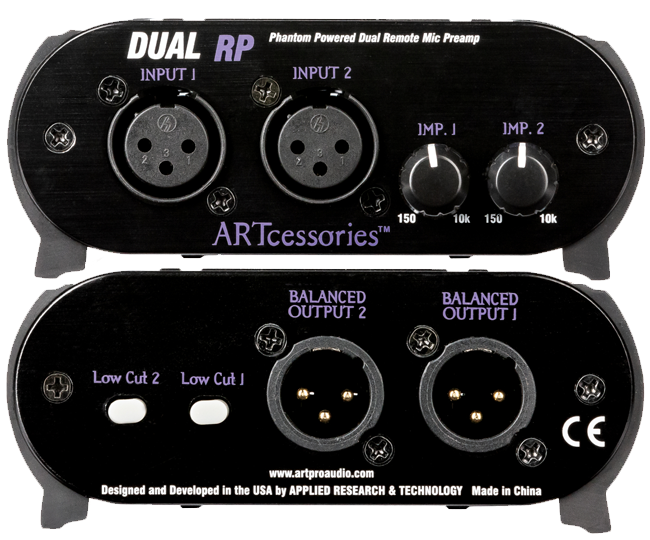
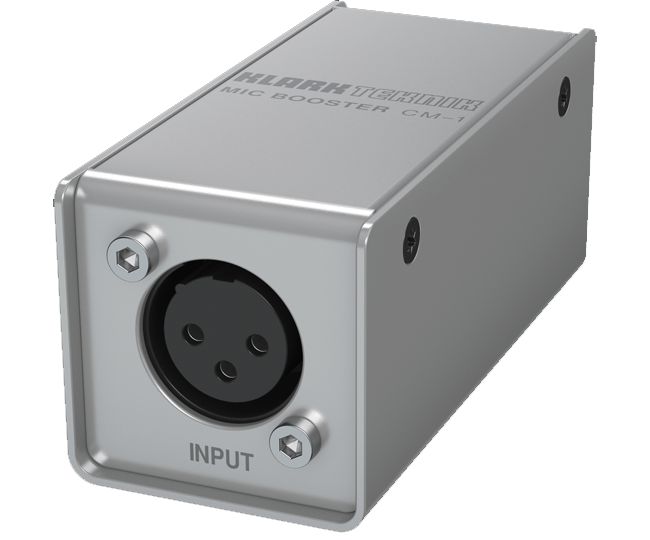
These products are known as “inline microphone preamplifiers,” or more simply ‘inline (mic) pres’ – and can sometimes just be referred to more colloquially as ‘boosters,’ though I’m sure there are plenty of other nicknames for them.
Before you just go spending your money on one of the two options listed above, however, know that you have options!
Like all things there are the “known brands,” and then there are plenty of other alternatives on the market. We see this with Pro Tools being the “industry standard” DAW, or the Neumann U87 / TLM103 or Sennheiser MKH-416 microphones, or the Focusrite Scarlett entry-level interfaces and Apollo Twin mid-range interfaces, etc. etc.
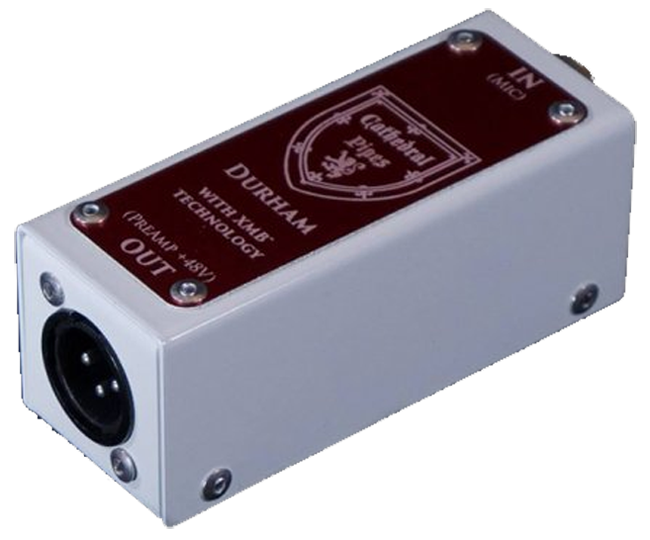
I’ve listed a few inline pre alternatives to the CL-1 and FetHead below. (click to toggle open each option)
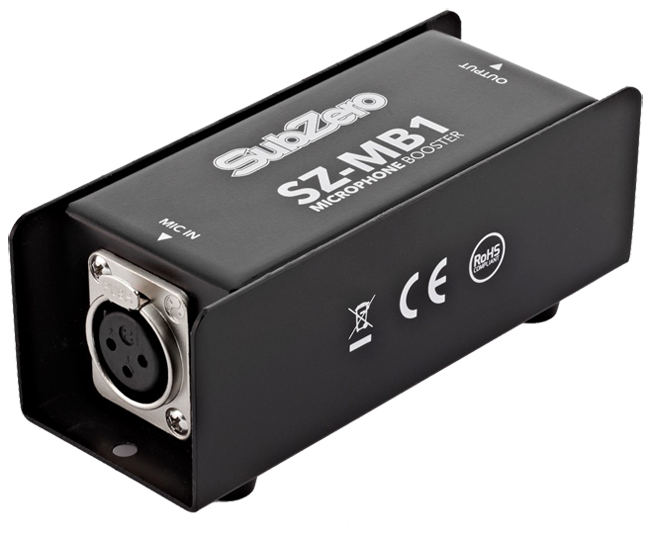
SZ-MB1 by SubZero (a Gear4Music.com brand I believe)
Durham MKII by Cathedral Pipes
DM1 Dynamite by sE Electronics
DM2 TNT by sE Electronics
8.c — The Proximity Effect
When a voice or instrument gets too close to the microphone, an artificial increase in lower frequencies will often occur, giving the signal a “boomy” or “bassy” tone.
Sometimes you may want to use this effect for dramatic purposes, and this effect is often employed to get that dramatic movie trailer voice. Some DJs even use it to “fatten up” their voice. Essentially it sounds more powerful.
- Backing off from the mic a few inches will usually fix this problem if you are experiencing it.
We discuss terms like “boomy” and “sibilance” in more detail in our EQ class.
8.d — Frequency Response
Each microphone responds to frequencies in a different way due to the materials that are used in its construction, or possibly even just due to its shape.
Frequency Response refers to the lowest and highest possible frequency that the microphone can reproduce.
As a general rule of thumb, "the wider the range of frequencies, the more accurate the microphone’s sound reproduction."
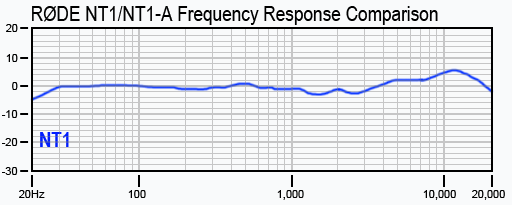
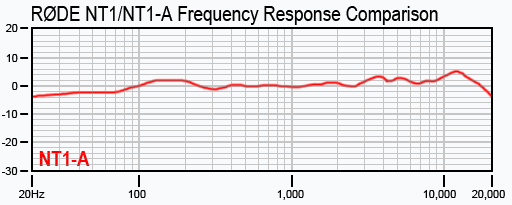
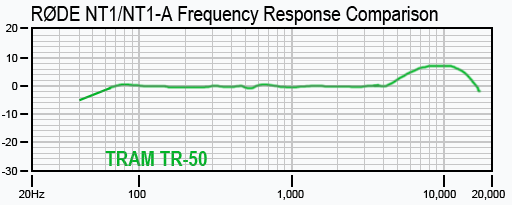
As an example of a fairly standard modern frequency response, the RØDE NT1 (4th Gen) and RØDE NT1-A both range from 20 Hz to 20 KHz, whereas the TRAM TR-50’s range is only 40 Hz to 16 KHz (see below)
8.d.i — "Flat Frequency Response"
Most modern microphones seem to have a fairly similar frequency response range (20 Hz to 20 kHz), however some may increase or decrease in amplitude at certain frequencies.
Generally speaking, flat frequency responses are preferred in professional microphones. This means that all frequencies are produced evenly, with no colorisation.
Some mics have a boost for certain applications, like the Tram TR-50 (mentioned just above) which is usually placed under actors’ clothes and has a boost in the ~8 kHz range to cut through the material and make up for the naturally lost / obscured frequencies.
If you’d like to read more before we dive into more detail over the coming weeks, I highly recommend checking out this artcile over at Audio University – “Everything You Need to Know About Frequency Response for Audio Gear!“
You’ve reached the end of Neth’s Notes™ — ↑ Back to Top ↑